
Server profiling is defined as a software engineering process that analyzes how a computer server uses CPU, memory, and disk resources to find performance problems. That definition has nothing to do with your tips, your hourly wage, or your paycheck. Restaurant servers and bartenders frequently search "what is server profiling" expecting income tracking advice, and they land on technical IT content that does not apply to their work. This article explains what the term actually means in tech, why it does not help you manage your earnings, and what tools genuinely do.
What is server profiling in IT and software engineering?
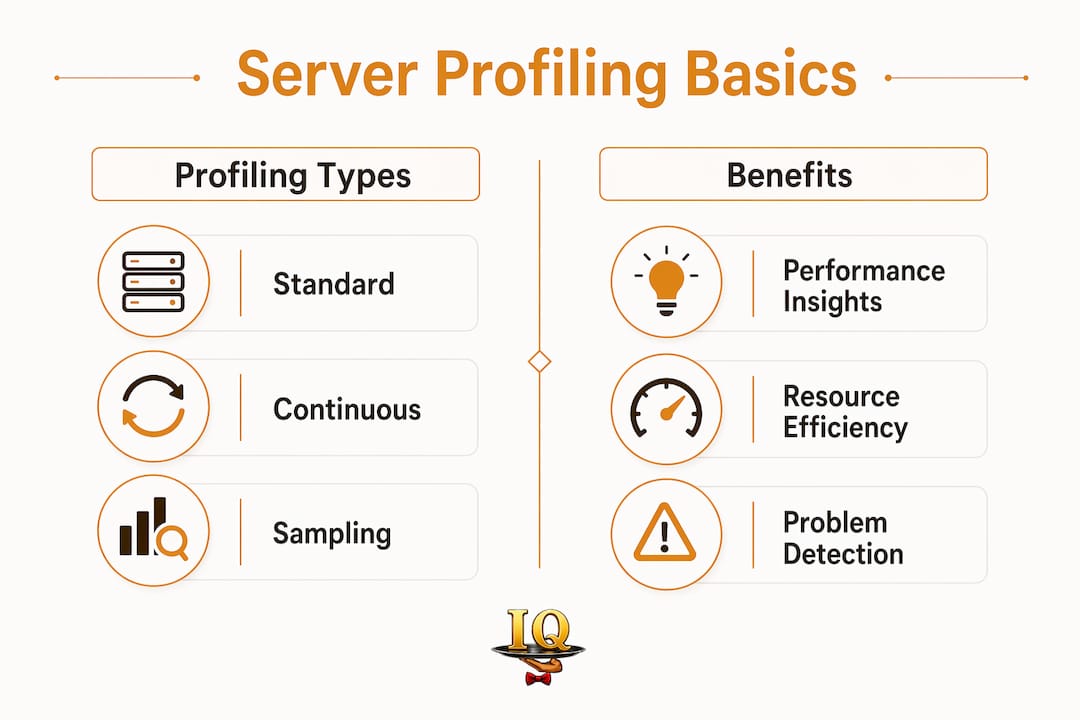
Server profiling is a technical diagnostic process that collects data on how software consumes CPU cycles, memory allocations, and disk input/output. Engineers use it to find the exact lines of code or processes slowing a system down. Think of it as a medical scan for code. It shows what is happening inside a running system, not just that something is wrong.
The standard profiling workflow follows five steps:
- Observe the system and notice a performance problem.
- Collect data by running a profiler that samples the system repeatedly.
- Analyze the output, often using flame graphs that visualize which functions consume the most resources.
- Fix the slow code paths identified by the data.
- Verify the fix by running the profiler again and comparing results.
This sampling-based method produces a statistically meaningful picture of system behavior. A single profiling session might capture thousands of data points across just a few seconds of runtime.
Continuous profiling vs. standard profiling

Standard profiling runs on demand, usually when engineers suspect a problem. Continuous profiling runs constantly in the background. Continuous profiling samples system performance 19–100 times per second while keeping CPU overhead between 1% and 5%. That low overhead means production servers stay visible to engineers without slowing down for real users.
The primary goal of continuous profiling is proactive detection. Engineers catch performance issues before they cause failures, rather than scrambling to diagnose a crash after it happens.
How profiling differs from monitoring and tracing
Profiling, monitoring, and tracing are three separate tools that engineers often use together. Monitoring tells you that a problem exists. Profiling tells you why it exists by pinpointing the specific resource conflict. Tracing follows requests across multiple systems to locate delays between services, while profiling digs into resource usage within a single system.
Pro Tip: Production profiling requires balancing detail against overhead. Over-profiling a live system risks degrading performance and distorting the very results you are trying to measure.
Why server profiling does not help restaurant servers track income
Server profiling has no application for restaurant servers or bartenders managing their earnings. The term belongs entirely to software engineering. It measures software behavior, not human work patterns, shift hours, or tip amounts.
The confusion is understandable. The word "server" means two completely different things depending on context. In a restaurant, a server is a person. In IT, a server is a machine. When hospitality workers search for profiling tools, they are looking for something that tracks their personal financial data. Server profiling in IT does not touch personal financial data at all.
Here is what server profiling actually measures versus what restaurant servers actually need:
- CPU usage vs. hourly wage tracking
- Memory allocation vs. tip documentation
- Disk input/output vs. shift-by-shift income records
- Code performance vs. payroll verification
- Flame graphs vs. earnings reports
"Misunderstanding server profiling leads hospitality workers to confuse IT meanings with personal earnings tracking. The two concepts share a word but serve entirely different purposes. A restaurant server searching for income management tools needs purpose-built financial tracking, not software diagnostics."
The practical risk of this confusion is wasted time. A server who spends an hour reading about flame graphs and CPU sampling learns nothing useful about their Thursday night tip total or their quarterly income for a loan application.
How restaurant servers and bartenders can track and optimize earnings
Practical income tracking for restaurant servers relies on methods built for variable, tip-heavy pay. The right approach captures every dollar accurately and creates records you can actually use.
Here are four proven methods, from simplest to most effective:
-
Manual shift logs. Write down your cash tips, credit card tips, and hours worked at the end of every shift. A small notebook works. The weakness is that handwritten logs are easy to lose and hard to total across weeks or months.
-
Spreadsheets. A basic spreadsheet in Google Sheets or Microsoft Excel lets you total tips by day, week, or month. You can add columns for hourly pay, shift length, and section assignment. The limitation is that you have to build and maintain the structure yourself.
-
Specialized income tracking apps. Apps built specifically for servers capture tip data, hourly wages, and multiple pay types in one place. They generate reports automatically. This is the most reliable method for servers who want to prove income for a lease, a loan, or a tax filing.
-
Payroll cross-checking. Compare your personal records against your pay stub every pay period. Discrepancies are common in restaurants, especially when tip pools or service charges are involved. Your own records are your only defense against payroll errors.
Pro Tip: Log your earnings immediately after each shift, not the next morning. Memory fades fast, and a $12 difference in recalled tips adds up to real money over a year.
Why accurate tip records matter beyond tax season
Servers with documented income histories have a concrete advantage when applying for apartments, car loans, or mortgages. Lenders and landlords want proof of consistent earnings. A pay stub from a restaurant often understates actual income because it reflects only the base wage. Your personal records fill that gap.
Restaurant payroll cycles also vary widely. Some restaurants pay weekly, others biweekly. Knowing your cycle and checking it against your own logs catches errors before they compound.
Tools and best practices for managing your income data
The right tool depends on how much time you want to spend on record-keeping and how detailed your records need to be.
| Feature | Manual logs | Spreadsheets | Dedicated server apps |
|---|---|---|---|
| Setup time | None | Moderate | Minimal |
| Automatic totals | No | Yes, with formulas | Yes |
| Shift-by-shift reports | Manual | Manual | Automatic |
| Income proof documents | No | Limited | Yes |
| Voice entry | No | No | Yes (Serveriq) |
| Monthly cost | $0 | $0–$10 | $3 (Serveriq) |
Serveriq is an earnings tracker built specifically for servers and bartenders. For $3 per month, it tracks tips, hourly wages, and multiple pay types. Its virtual assistant, Chip, lets you log a shift and update earnings by voice, which takes about 30 seconds after you clock out. The app generates detailed reports that work as income documentation for financial applications.
Best practices for consistent income tracking
Consistency matters more than the tool you choose. A perfect app used twice a month produces worse records than a basic spreadsheet used every shift.
- Log every shift, including slow ones. Low-tip nights are still income data.
- Record cash tips and credit card tips separately. They are taxed and reported differently.
- Note your section or station when possible. Patterns by section help you get better tips by identifying which assignments earn more.
- Back up your data monthly. Export a spreadsheet or screenshot your app reports.
- Review your totals weekly, not just at tax time. Weekly reviews catch errors while your memory is still fresh.
Privacy is a real consideration when using any app. Choose tools that store your data securely and do not share it with your employer or third parties without your consent. Serveriq stores your data for your use only.
Key Takeaways
Server profiling is a software engineering term with no application to restaurant income tracking, and servers need purpose-built financial tools to document earnings, verify payroll, and prove income confidently.
| Point | Details |
|---|---|
| Server profiling is an IT term | It analyzes computer resource usage and has no connection to restaurant income tracking. |
| Continuous profiling runs constantly | It samples systems 19–100 times per second with 1–5% CPU overhead for proactive performance monitoring. |
| Restaurant servers need different tools | Manual logs, spreadsheets, and dedicated apps like Serveriq are the right methods for earnings tracking. |
| Accurate records protect your income | Personal shift logs catch payroll errors and serve as proof of income for loans and leases. |
| Consistency beats tool choice | Logging every shift, even slow ones, produces more reliable income data than any single app. |
The confusion is more common than you think
I have talked with dozens of servers and bartenders who spent real time trying to figure out if server profiling could help them track their income. The frustration is legitimate. The term sounds like it should apply to them. "Server" is in the name.
What strikes me is how this confusion reveals a genuine gap. Hospitality workers have real, pressing needs around income documentation. Proving earnings without a traditional pay stub is genuinely hard. Finding a loan, renting an apartment, or even just knowing whether last month was better than the month before requires records that most restaurants do not provide automatically.
The tech world built an entire vocabulary around "profiling" that means something completely different. That vocabulary bleeds into search results and creates dead ends for people who just want to know if Tuesday's dinner shift was worth it financially.
My honest take: stop trying to adapt IT concepts to hospitality problems. The tools built for servers are simpler, cheaper, and more useful than anything borrowed from software engineering. A $3 per month app that lets you log a shift by talking to your phone is more valuable to your financial life than understanding flame graphs. Focus on what actually works for your situation.
— sadler
Serveriq makes income tracking simple for servers
Tracking your earnings should not feel like a second job. Serveriq was built for servers and bartenders who need a fast, reliable way to record tips, wages, and shift data without complicated setup.
For $3 per month, Serveriq captures every shift, generates income reports you can actually use, and lets Chip, its built-in voice assistant, do the data entry while you decompress after a long night. Whether you need to prove your income for a lease or just want to know which shifts pay best, Serveriq gives you the records to answer those questions with confidence. Sign up and start logging your first shift today.
FAQ
What is server profiling in simple terms?
Server profiling is a software engineering process that measures how a computer server uses CPU, memory, and disk resources to find performance problems. It has no connection to restaurant servers or income tracking.
Does server profiling help restaurant servers track tips?
No. Server profiling is an IT term that analyzes software behavior, not human earnings. Restaurant servers need dedicated income tracking apps or manual logs to document tips and wages.
What is continuous server profiling?
Continuous server profiling samples a computer system's performance 19–100 times per second with low overhead to give engineers a constant view of resource usage. It is a software engineering technique, not a financial tool.
How can restaurant servers prove their income without a pay stub?
Servers can document income through personal shift logs, spreadsheets, or dedicated apps like Serveriq that generate detailed earnings reports accepted by lenders and landlords.
What is the best way to track tips as a server?
The most reliable method is logging tips immediately after each shift using a dedicated app. Serveriq tracks tips, hourly wages, and multiple pay types for $3 per month and generates reports you can use as income documentation.